A logistics manager can pull an indicative air freight estimate in minutes using DHL’s online quote tool or the Price Quote API. That number, however, is not the number you’ll be invoiced. Contract rates, certain surcharges, and customs charges typically require validation through your account rep or a licensed forwarder like Worldwideexpress before you book.
Before you open any quote tool, gather these details:
- Gross weight and full piece dimensions (length, width, height) for every unit
- Origin and destination postal codes, not just city names
- Commodity description, HS code, and INCOTERM
Pro Tip: Screenshot or save the quote reference number the moment you generate an estimate. Surcharge tables shift often enough that a quote from Monday morning can look different by Thursday.
The Price Quote API is built for exactly this kind of fast lookup, but it returns an indicative, non-binding figure and requires an eID plus OAuth credentials for contracted business customers. If your shipment involves anything unusual, dangerous goods, oversized freight, temperature control, treat the online number as a starting point and get it confirmed before you commit.
TL;DR:
- Instant quotes are indicative and often exclude VAT, customs duties, and cargo insurance, which are calculated later based on the shipment details.
- Accurate shipping estimates depend on detailed input, including postal codes, piece-level dimensions, HS codes, and INCOTERMS, to avoid inflated safety margins.
- Re-weighing, surcharge updates, and accessorials like remote delivery or customs duties often cause final invoice amounts to differ from initial online estimates.
- Validating charges through a forwarder like Worldwideexpress ensures that contract rates, accessorials, and customs costs are confirmed before shipment.
- Using an online quote as a planning input rather than a binding price reduces invoice disputes and misaligned expectations.
Table of Contents
- What a DHL Air Freight Quote Actually Returns
- Exact Shipment Details To Prepare For An Accurate Quote
- Why Your Online Estimate Can Change After Pickup
- From Instant Quote To Confirmed Booking: The Workflow
- How Worldwideexpress Turns Estimates Into Shipments
- Key Takeaways
- What Logistics Teams Get Wrong About Quote Accuracy
- Get A Contract-Ready Air Freight Quote
- Sources
What a DHL Air Freight Quote Actually Returns
An online quote is not one number. It’s a breakdown, and reading it correctly saves you from a nasty surprise on the invoice.
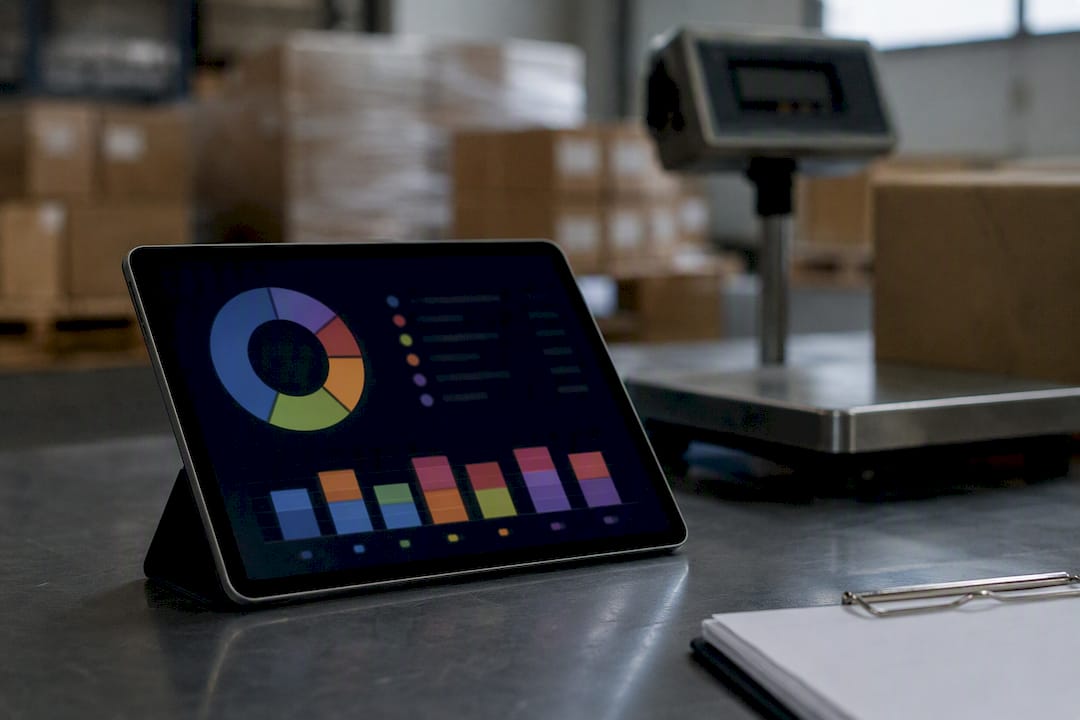
The response splits pricing into two buckets: the freight amount itself and additional services layered on top, according to DHL’s own developer documentation. Handling, pickup, delivery, and customs brokerage all sit in that second category, separate from the core freight charge.
The freight amount itself is driven by chargeable weight, which is whichever is higher: actual gross weight or volumetric weight (calculated from length times width times height per piece, divided by a volumetric divisor). A pallet of pillows can cost more to ship than a pallet of steel brackets because it takes up more cubic space than it weighs.
Quotes typically list some surcharges separately, including:
- Fuel (BAF) adjustments
- Security surcharges
- Peak-season surcharges tied to capacity crunches
What most instant quotes leave out entirely: VAT, customs duties, and cargo insurance. Those get calculated later, based on the commodity’s declared value and destination country rules, not baked into the online estimate at all.
Exact Shipment Details To Prepare For An Accurate Quote
The gap between a rough guess and a usable quote almost always comes down to missing or vague input data. Assemble this before you touch a quote tool:
- Origin and destination, with postal codes. City names alone aren’t precise enough. DHL calculates zone-based pricing and remote-area surcharges off the postal code, not the city.
- Total gross weight and piece-level dimensions. Don’t estimate a total weight for a multi-piece shipment. Measure each piece so volumetric weight calculates correctly.
- Commodity description and HS code. If you’re shipping anything classified as dangerous goods, have the DG class ready. This affects both eligibility and price.
- INCOTERMS and payer details. Know who’s paying, consignor, consignee, or a third party, and which account number applies. DHL’s request fields explicitly require the payer code and delivery term alongside total weight, volume, and piece count.
- Service level and add-ons. Decide upfront whether you need express or deferred service, and flag any special handling like temperature control or palletizing. Adding these after the quote almost always changes the price.
Skip any one of these and you’ll either get an inflated safety-margin estimate or a quote that has to be redone once the missing detail surfaces.
Why Your Online Estimate Can Change After Pickup
Nobody enjoys a surprise line item on a freight invoice, so it helps to know exactly where these changes come from before they happen.
The most common cause is re-weighing at pickup. Warehouse staff verify actual dimensions and weight against what you entered, and any discrepancy recalculates the chargeable weight, sometimes upward, sometimes down.
Beyond that, several factors shift between the moment you generate a quote and the moment your shipment ships:
- Fuel and seasonal surcharges update on their own schedule, not yours
- Remote delivery accessorials like liftgate service or inside delivery often get added once the carrier confirms the exact drop-off address
- Customs duties, VAT, and clearance fees were never part of the freight estimate to begin with
- Currency fluctuations and periodic tariff or price-zone updates can move the final number
Corporate and investor communications regularly publish updated surcharge and tariff frameworks, which means the pricing environment itself is a moving target, not a fixed rate card you can memorize.
Pro Tip: If your shipment is time-sensitive or high-value, ask your forwarder to confirm accessorials for the specific delivery address before pickup with advice on how to choose a same-day courier service. A quote generated for a generic zip code often misses a residential or limited-access surcharge that only shows up once someone checks the actual street.
From Instant Quote To Confirmed Booking: The Workflow
Getting a number is the easy part. Turning that number into a shipment that actually moves is where most of the friction lives. Here’s the sequence that avoids rework:
- Prepare your shipment dossier. Pull together everything from the checklist above: weights, dimensions, origin/destination postal codes, HS code, and INCOTERM. Incomplete data is the single biggest reason quotes need to be redone.
- Run the instant quote. Use the online tool for a quick indicative price, or, if you’re a contracted customer, call the Price Quote API directly for a faster, repeatable lookup.
- Review the breakdown and save it. Note the freight amount, the additional services listed, and the calculation basis (chargeable weight in kilograms). Save the quote reference number and a timestamp.
- Flag anything unusual before booking. Dangerous goods, oversized freight, or an address in a remote zone all warrant a call to customer service or your forwarder before you commit funds.
- Convert to a binding rate. Contact your account rep, or a forwarder like Worldwideexpress, to apply contract pricing or request a binding spot quote. This is the step that turns an estimate into a number you can actually plan around.
Pro Tip: Treat step 3 as non-negotiable. If a dispute comes up later over pricing, having the original quote reference and timestamp is the fastest way to resolve it without a drawn-out back-and-forth.
This sequence works whether you’re shipping one pallet a quarter or running daily volume through multiple lanes. The steps don’t change. What changes is how much of steps 4 and 5 you can automate once you have a standing contract relationship in place.
How Worldwideexpress Turns Estimates Into Shipments
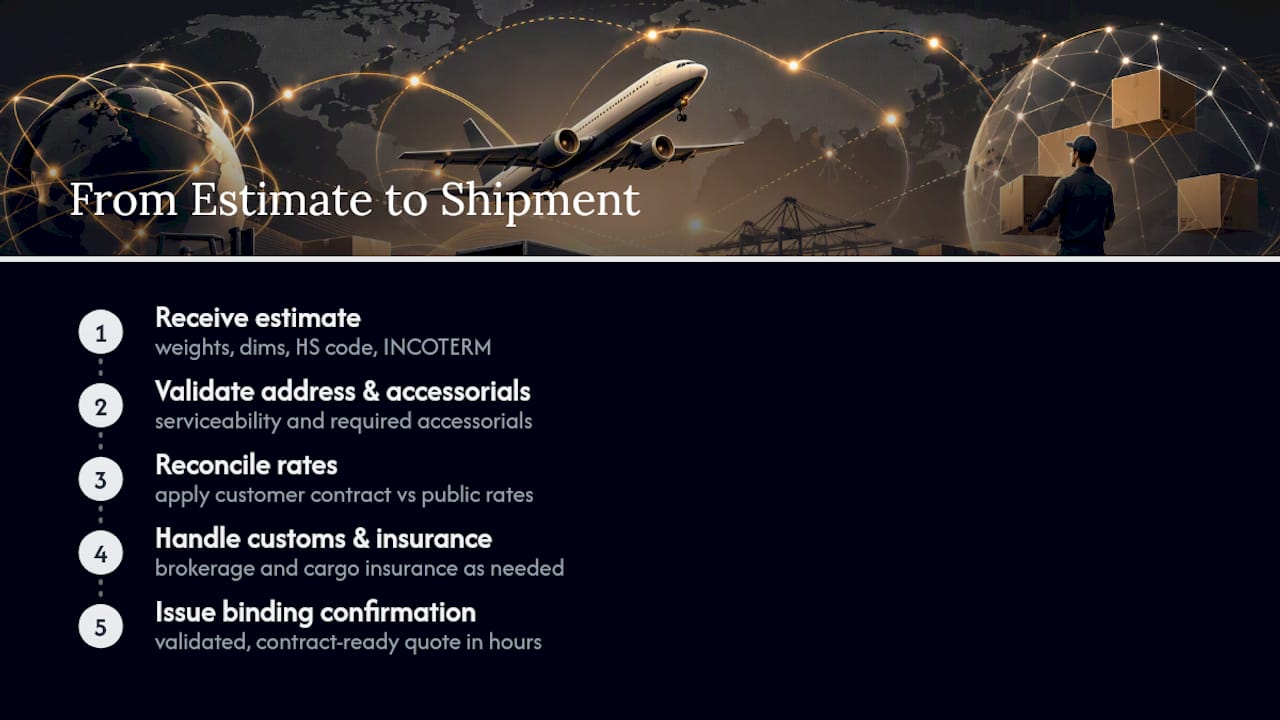
An online quote tells you roughly what a shipment will cost. It doesn’t tell you whether the address is serviceable, whether the accessorials you’ll actually need are included, or whether your contract rate applies instead of the public rate card.
Worldwideexpress validates all three. We check chargeable weight and accessorials against the consignee address, reconcile the online estimate against your contract terms, and issue a binding confirmation once everything checks out. For shipments where customs duties or cargo risk are a factor, we also handle customs brokerage and cargo insurance so those costs are accounted for before the shipment moves, not discovered afterward.
Instant quotes are built for speed, not certainty. The gap between a quick estimate and an operational shipment is exactly where a forwarder’s validation work matters most.
Submitting shipment details to Worldwideexpress typically means sending the same dossier you’d use for any online tool, weights, dimensions, origin/destination, HS code, INCOTERM, plus any special handling requirements. Turnaround on a validated, contract-ready quote is usually measured in hours, not days, for standard lanes.
Key Takeaways
An accurate DHL air freight quote depends on complete shipment data upfront, and only account-validated pricing through a rep or forwarder is truly binding.
| Point | Details |
|---|---|
| Use the instant tool for speed | Generate a quick indicative estimate through the online quote tool or Price Quote API, not a guaranteed price. |
| Prepare exact shipment data | Postal codes, piece-level dimensions, HS code, and INCOTERM all directly affect the freight amount returned. |
| Know what’s excluded | VAT, customs duties, and cargo insurance are typically left out of instant online estimates entirely. |
| Expect the number to shift | Re-weighing, surcharge updates, and remote-area accessorials commonly change the price between quote and invoice. |
| Convert through Worldwideexpress | Worldwideexpress validates chargeable weight and accessorials, then issues a binding confirmation with customs brokerage available. |
What Logistics Teams Get Wrong About Quote Accuracy
Most of the frustration around freight pricing comes from treating an instant quote as a promise instead of what it actually is: a fast, informed guess based on the data you fed it. The conventional advice, “just get a quote online,” skips the part that actually determines accuracy: whether you entered postal codes instead of city names, whether you measured each piece instead of estimating a total, whether you flagged dangerous goods before the system had to guess.
The bigger blind spot is timing. Surcharges and tariff frameworks change on a schedule you don’t control, which means a quote generated two weeks ago carries more risk than one generated this morning. Teams that timestamp every quote and set a short validation window before booking avoid far more invoice disputes than teams chasing marginally better online tools.
If there’s one priority above the rest, it’s this: treat the online number as a planning input, not a contract. Get the shipment dossier right first. Everything else, chargeable weight, accessorials, final pricing, follows from that.
— Ian
Get A Contract-Ready Air Freight Quote
Worldwideexpress gives you what an instant online tool can’t: a real person checking your chargeable weight, accessorials, and delivery address before you commit to a shipment.
Where a quote tool hands you a number and moves on, Worldwideexpress reconciles that number against your actual contract terms and confirms serviceability to the exact consignee address, including remote zones that online tools frequently miss. We also fold in customs brokerage and cargo insurance so duties, VAT, and coverage aren’t a surprise on the back end. For shippers who need one part of the equation without the full booking process, our freight quotes page is the fastest way to get shipment details in front of a person who can confirm binding pricing.
If your next shipment involves anything outside a simple, small parcel, dangerous goods, oversized freight, a remote delivery address, submit your shipment dossier through Worldwideexpress today and get a rate you can actually plan a shipment around.
Sources
Developers and operations teams confirming quote behavior should consult:
Recommended
- 7 Key Steps to Secure an Accurate International Air Freight Quote – Worldwide Express, Inc.
- Track a DHL Parcel: Step-by-Step U.S. Guide – Worldwide Express, Inc.
- Best Freight Forwarding Services – Expert Comparison 2025 – Worldwide Express, Inc.
- How to Request a UPS Quote International for U.S. Logistics – Worldwide Express, Inc.