A UPS customs invoice, more precisely called a commercial invoice, is the document customs officials use to calculate duties and clear an international package. It’s required on virtually every cross-border UPS shipment except pure documents. The single highest-priority task: make sure the declared value, product description with HTS detail, and country of origin are accurate, because those three fields drive whether your shipment clears fast or gets held.
TL;DR:
- Accurate product descriptions, declared values, and country of origin are essential to avoid delays and incorrect duty assessments during customs clearance.
- Including the UPS tracking number on the invoice and attaching the form externally prevents misplacement and accelerates processing.
- Shipping high-value, restricted, or ambiguous products justifies hiring a customs broker to handle entry filings, corrections, and compliance work.
- Regular shippers should consider enrolling in Paperless Invoice to eliminate document loss and improve flow during customs clearance.
- Disputing customs bills requires gathering supporting documents and comparing them to UPS’s filed entry paperwork to identify classification or valuation errors.
Table of Contents
- What Is a Commercial Invoice, and Why Does Customs Require It?
- What Information Goes on a UPS Commercial Invoice?
- How to Fill Out, Print, and Attach a UPS Commercial Invoice
- What Other Customs Forms Might You Need?
- Paperless Invoicing and a Pre-Shipment Checklist That Actually Prevents Holds
- Why Did You Get a Customs Bill From UPS?
- How to Dispute or Correct a Customs Bill With UPS
- When It’s Time to Bring in a Customs Broker
- Three Things to Get Right Before You Ship
- Where to Go for Official UPS Guidance
- Sources
- FAQ
What Is a Commercial Invoice, and Why Does Customs Require It?
A commercial invoice is a legal declaration, signed by the shipper, that tells customs authorities exactly what’s inside a package, who made it, what it’s worth, and why it’s crossing a border. UPS identifies it as the primary form required for cross-border shipments, with one major exception: shipments containing only documents, like contracts or certificates with no commercial value, typically don’t need one.
Customs agencies use the invoice to build what’s called an “entry.” That entry determines the tariff classification, the duty rate, and whether the shipment needs further inspection. Get the invoice wrong, and the entry gets built on bad information, which is exactly how shippers end up disputing bills weeks later.
There’s a distinction worth understanding here: a pro forma invoice is a preliminary estimate, often used to get a customs quote or satisfy a licensing requirement before the sale is final. A commercial invoice is the final, binding document tied to an actual transaction. UPS and customs authorities want the commercial invoice for clearance, not the pro forma version, unless there’s no sale (a gift, a sample, a warranty replacement) in which case you still complete a commercial invoice but note the transaction type and often declare a value for customs purposes anyway.
The shipper bears responsibility for preparing and signing this document. UPS doesn’t verify your product descriptions or values. Customs does, and it does so as follows:
- Confirms the declared value against the invoice and, sometimes, external pricing data
- Matches the product description against the HTS or HS code to assign the correct duty rate
- Checks the country of origin to apply trade agreements, tariffs, or restrictions
- Flags shipments where documentation is incomplete or inconsistent for manual review
That last point is where most delays originate. An entry that doesn’t add up internally, say, a declared value that doesn’t match the quantity times unit price, gets pulled for a second look almost automatically.
What Information Goes on a UPS Commercial Invoice?
Every field on this form does a job. Skip one or fill it in vaguely, and you’re inviting a customs officer to stop your package and ask questions you’ll have to answer anyway, just later and slower.
Here’s the full list of what a compliant UPS commercial invoice needs:
- Shipper name, full address, and phone number
- Consignee (recipient) name, full address, and phone number — a working phone number matters more than people think, since customs sometimes calls to verify details
- Invoice number and invoice date
- UPS tracking number — the 18-digit number, included directly on the invoice so customs and UPS can match paperwork to the physical package
- Complete, specific product description for each item (more on this below)
- Quantity of each item
- Unit value and total value, in a stated currency
- Country of origin for each item, meaning where it was manufactured or substantially transformed, not where it shipped from
- HTS or HS code, or a description detailed enough that a customs officer can classify it without one
- Total weight and number of packages
- INCOTERMS (who pays duties, freight, and insurance, and at what point risk transfers)
- Reason for export (sale, gift, sample, repair, return)
- A signed declaration confirming the invoice’s accuracy
The product description field causes more clearance headaches than any other line on the form. “Parts” tells a customs officer nothing. “Stainless steel bicycle brake calipers, aftermarket” tells them everything they need to classify the item correctly and apply the right duty rate. Vague descriptions don’t just risk delay, they risk being reclassified into a higher-duty category by default, because customs officers apply the most conservative interpretation when the paperwork doesn’t specify.
Unit value matters just as much. If you’re shipping five identical items and value them differently on the invoice for reasons that don’t map to anything (a bulk discount that isn’t documented, a rounding error), that inconsistency alone can trigger a hold. The math has to work: quantity times unit value should equal the line total, and all line totals should sum to the declared value at the top of the invoice.
Currency confusion is another quiet culprit. If your invoice states “$450” without specifying US dollars, Canadian dollars, or another currency, and the shipment is crossing into a country where that’s ambiguous, expect a delay while someone confirms which dollar you meant.
One mismatch that catches individual shippers off guard: the declared value on the customs invoice needs to match what the buyer actually paid, not a lower “for customs purposes” figure meant to reduce duty. Customs authorities routinely cross-reference this against payment receipts, marketplace listings, or the seller’s own invoice, and a mismatch reads as undervaluation, which carries real penalties, not just a shipping delay.
Pro Tip: Write your product description the way you’d explain the item to someone who’s never seen it and can’t ask follow-up questions. Material, function, and intended use, in that order, usually gets you a description precise enough to avoid a second look.
If you’d rather not build this from scratch every time, a fillable customs invoice template keeps the required fields consistent shipment after shipment, which matters more once you’re shipping regularly rather than as a one-off.
How to Fill Out, Print, and Attach a UPS Commercial Invoice
Completing the paperwork is only half the job. Getting it physically or electronically in front of the right customs officer at the right moment is the other half, and it’s where a surprising number of otherwise correct invoices get lost in the process.
Start in your UPS shipping tool or account. When you create an international label through UPS.com or a connected shipping platform, several fields, like your shipper address and the UPS tracking number, populate automatically. Product descriptions, values, HTS codes, and country of origin almost always require manual entry, because UPS has no way to know what’s actually in the box.
Double check the auto-filled fields against the manual ones. Automated systems occasionally carry over an old address or a default currency setting from a previous shipment. Confirm before you submit rather than after the label prints.
Include the UPS tracking number directly on the invoice. UPS’s own commercial invoice guide recommends this explicitly, and it’s the single easiest way for customs and carrier staff to match your paperwork to your package if the two get separated in transit.
Print at least three copies if you’re not using Paperless Invoice. UPS recommends this number for a paper-based shipment: one goes inside the shipping pouch attached to the outside of the package, one stays with the accompanying paperwork the driver carries, and a third is your own record.
Attach the invoice pouch to the outside of the package, not sealed inside it. Customs officers need to access the invoice without opening the box, and shipping platforms consistently flag this as one of the most common handling errors: an invoice sealed inside the box might as well not exist until someone cuts it open.
If your printer garbles the form or cuts off fields, check your label printer’s paper size setting first. Most commercial invoice templates print on standard letter or A4 size, and a printer set to a shipping-label roll size will crop or shrink the document unpredictably. Third-party shipping software support pages walk through this exact fix for several common setups.
Consider enrolling in Paperless Invoice if you ship internationally more than occasionally. This UPS account feature lets you transmit the commercial invoice data electronically instead of relying on a physical copy riding along with the package. UPS notes this option is available to account holders as an alternative to the three-copy paper process, and it removes an entire category of failure points: no lost pouch, no faded ink, no mismatched copy left behind at a sort facility.
The paper process still works fine for occasional shippers, and it’s what most individual users default to. Once you’re shipping internationally on a regular basis, though, going paperless removes a surprising amount of friction, since a missing or damaged physical invoice is one of the more mundane reasons a package sits in a customs warehouse longer than it should.
What Other Customs Forms Might You Need?
A commercial invoice covers standard goods, but certain products and destinations require additional paperwork on top of it. Missing one of these forms is a common reason a package clears the commercial invoice review and still gets held.
Depending on what and where you’re shipping, you may also need:
- Certificate of Origin — required for goods claiming preferential tariff treatment under a trade agreement, or requested by certain countries regardless of trade status
- Phytosanitary certificate — required for plants, seeds, wood products, and some food items to confirm the shipment is free of pests or disease
- Export license — required for controlled goods, including certain electronics, encryption technology, chemicals, and dual-use items with potential military applications
- Canada Customs Invoice (CCI) — a Canada-specific alternative to the standard commercial invoice, sometimes required instead of or alongside it for shipments crossing into Canada
- NAFTA/USMCA certification — for qualifying goods moving between the US, Canada, and Mexico under preferential tariff terms
Figuring out which of these apply to your shipment starts with the destination country and the product category, not a general rule of thumb. UPS maintains a forms library covering country-specific requirements, and it’s worth checking that library, or the destination country’s own customs authority site, before you ship anything unfamiliar.
If you’re dealing with restricted goods, an unusual destination, or a product category you haven’t shipped before, this is the point where a licensed customs broker earns their fee. Misjudging whether an export license applies isn’t a minor paperwork slip. It can mean a seized shipment and a compliance investigation, not just a delay.
Paperless Invoicing and a Pre-Shipment Checklist That Actually Prevents Holds
Paperless Invoice does more than save paper. It removes the physical handoff points where invoices get lost, damaged, or separated from the package, and it lets customs pull the data digitally rather than waiting for a human to locate and scan a paper form. UPS positions this as a way to speed clearance for account holders shipping internationally on a recurring basis.
Enrollment happens through your UPS account settings, and once it’s active, invoice data you enter during label creation transmits electronically instead of requiring a printed copy in the pouch. The data still needs to be accurate. Paperless doesn’t fix a bad HTS code or a vague description; it just removes the physical-document failure mode.
Since low-value duty exemptions have narrowed significantly, nearly every commercial shipment can now trigger a customs entry and a possible duty bill, according to analysis of recent customs bill disputes. That shift is exactly why getting the invoice right on the first attempt matters more now than it did a few years ago, when small shipments often cleared without much scrutiny.
If you create a label and realize you need to attach a supporting document after the fact, most UPS account tools let you upload it against the shipment record, provided it’s linked to the correct tracking number before the package reaches the origin facility. Waiting until the package is already in transit to add documentation rarely works.
Before you hand off an international package, run through this short list:
- Does the invoice’s tracking number match the label exactly?
- Is every product description specific enough that someone unfamiliar with the item could classify it?
- Is the country of origin listed for each item, not just the shipping origin?
- Is the currency stated explicitly, not just a number?
- Are INCOTERMS specified, so it’s clear who pays duties on arrival?
- Are both the shipper’s and consignee’s phone numbers current and correctly formatted for international dialing?
A checklist built specifically around common customs holds can help you run this same review consistently across every shipment, rather than reconstructing it from memory each time.
Why Did You Get a Customs Bill From UPS?
A customs bill arriving after your package has already cleared often feels like a surprise, but it’s rarely random. Most bills break down into a handful of predictable line items.
The typical customs invoice includes:
- Government duties and taxes — the amount owed to the destination country’s customs authority, based on the declared value and HTS classification
- VAT or GST, where applicable — many countries apply a value-added or goods and services tax on top of duty, calculated on the combined value and duty amount
- Carrier disbursement or advancement fee — UPS’s billing guidance explains that when the carrier pays duties to customs on your behalf to keep the shipment moving, it bills you back for that amount plus a service fee
- Entry preparation fee — a charge for the paperwork and filing work involved in creating the customs entry
- Brokerage or processing fee — an administrative charge separate from the actual duty owed
The government portion isn’t negotiable if the classification and value are correct. The carrier fees, though, are where verification pays off, because they’re calculated by UPS based on the entry it filed, and entries can be wrong.
The most frequent causes of an inflated bill:
- Wrong HTS classification. A vague product description on the invoice led UPS or customs to assign a higher-duty category than the item actually warrants.
- Incorrect declared value. Either too high (inflating the duty base) or, less commonly, questioned as too low and re-assessed upward by a customs officer.
- Wrong country of origin. This can void a lower tariff rate you’d otherwise qualify for under a trade agreement.
- Duplicate duty billing. The seller collected duties at checkout (common with certain e-commerce platforms), but the carrier also billed you, effectively charging duty twice on the same shipment.
That last scenario is more common than most shippers realize, particularly with marketplace purchases where duty collection at checkout isn’t always communicated clearly to the carrier handling final delivery.
If a bill looks wrong, request the entry paperwork from UPS. It shows the exact HTS code, declared value, and country of origin the entry was filed under, and comparing that against your original invoice is the fastest way to spot the actual error rather than guessing at it.
How to Dispute or Correct a Customs Bill With UPS
Disputing a customs charge isn’t a phone call where you simply object. It’s a documentation exercise, and the shipper who shows up with the right paperwork resolves it in days rather than weeks.
Gather your evidence before you contact UPS. That means the original order receipt, the seller’s invoice (if you’re the recipient rather than the shipper), the product listing or description, proof of payment, and, if relevant, photos of the item and its packaging.
Request the customs entry paperwork and the CBP entry number from UPS. This document shows exactly what classification, value, and origin the entry was filed under, which tells you whether the error happened at your end (the invoice you submitted) or during processing.
Compare the entry against your original invoice line by line. A mismatch here is your evidence. If the entry lists a different HTS code or a higher value than what you declared, that’s the specific error to point to in writing.
Submit a written request for reclassification or correction. Carrier fees are largely nonrefundable once assessed, but a demonstrated classification or valuation error can lead to a refund of overpaid duties through the carrier’s post-entry correction process. This tends to take real follow-up rather than resolving on the first email.
Escalate if the initial response doesn’t resolve it. For a single misclassified shipment, persistence with UPS’s billing dispute channel usually gets there. For recurring issues, wrong classifications on multiple shipments, a pattern of disputed origin claims, or anything involving a formal binding ruling, that’s a signal to bring in a broker rather than keep escalating solo.
Pro Tip: Keep a folder, digital or physical, with the entry paperwork and your dispute correspondence for every shipment where you’ve had to push back on a bill. If a pattern of misclassification shows up across multiple shipments from the same supplier, that’s evidence you can use to request a standing correction rather than disputing the same error every single time.
Set expectations going in: the government duty itself is rarely refunded unless the underlying classification or value was genuinely wrong. Carrier service fees, the disbursement and entry charges, are the ones most likely to get reduced or waived when you can show the error originated on the carrier’s side. A breakdown of common customs clearance stalls covers several of the exact scenarios where this distinction matters.
When It’s Time to Bring in a Customs Broker
Filling out your own commercial invoices works fine for occasional shipments. It stops working well once your shipping volume, product complexity, or destination list grows past what one person can track reliably.
Consider a licensed customs broker when:
- You’re shipping internationally on a recurring, ongoing basis rather than occasionally
- Your products fall under HTS codes that are genuinely ambiguous or frequently reclassified
- You’re moving high-value shipments where a valuation dispute carries real financial weight
- You ship restricted or regulated goods, including anything requiring an export license or FDA oversight
- Country of origin rules under a trade agreement are complex enough that getting them wrong would cost more than a broker’s fee
A broker does more than fill out forms correctly. They file entries electronically with customs authorities, request reclassifications or corrections when an entry was filed wrong, manage the refund process for overpaid duties, and can coordinate the permits and licenses that a standard commercial invoice doesn’t cover on its own. Worldwide Express’s customs brokerage services handle exactly this kind of entry filing and correction work for businesses that would rather not manage it shipment by shipment.
Cargo insurance is worth pairing with brokerage support for high-value shipments too. If a customs dispute drags on or a shipment is damaged in transit while paperwork gets sorted out, insurance coverage closes a gap that documentation alone can’t.
Three Things to Get Right Before You Ship
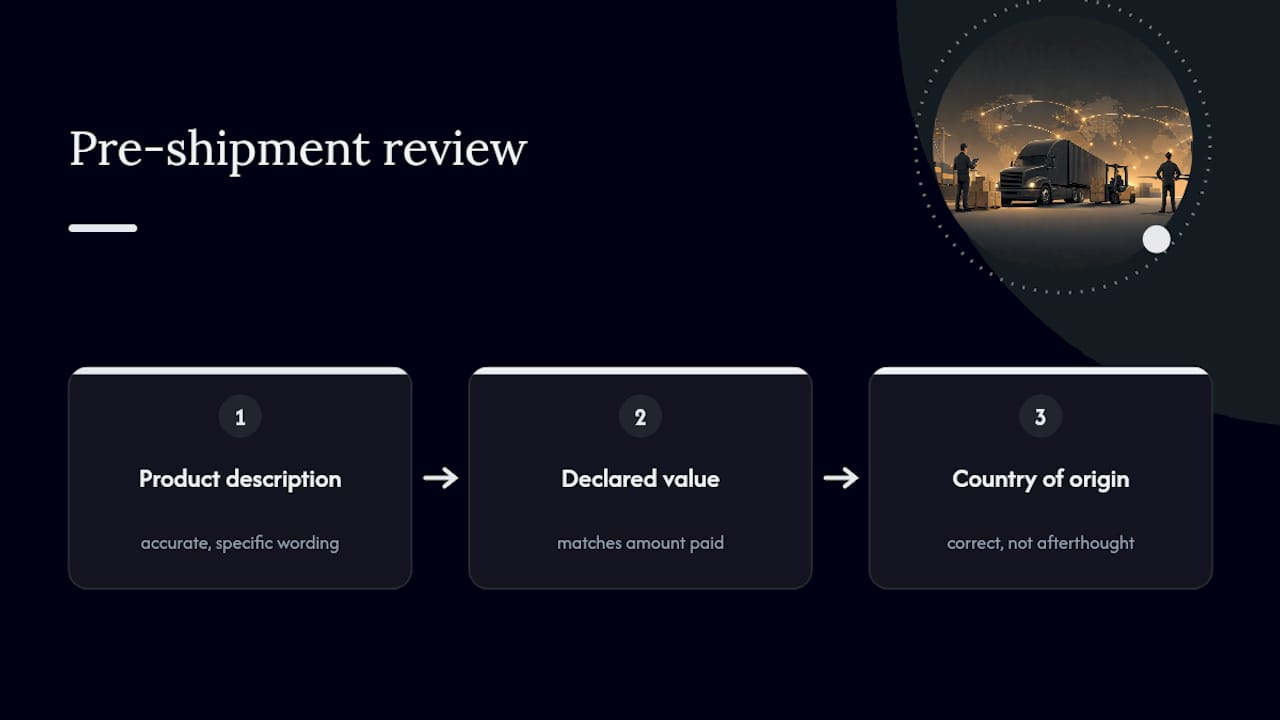
Most customs headaches trace back to the same three failures: a vague product description, a declared value that doesn’t match what was actually paid, and a country-of-origin field filled in as an afterthought. Fix those three, and the majority of clearance delays and unexpected bills disappear before they start.
If there’s a broader pattern worth naming, it’s this: shippers treat the commercial invoice as paperwork to get through, when it’s actually the single document that determines cost and speed. A five-minute investment in writing an accurate description saves days of dispute correspondence later. That trade is not close.
For businesses shipping regularly, the math shifts further. Once you’re filing enough entries that a single misclassification pattern could repeat across dozens of shipments, the cost of a broker’s fee stops looking like overhead and starts looking like insurance against a much larger compounding error.
— Ian
Where to Go for Official UPS Guidance
Start with UPS’s own resources before relying on third-party summaries, since forms and requirements do change.
- The UPS international forms library covers country-specific certificates and Paperless Invoice enrollment
- The printable commercial invoice guide walks through field-by-field completion
- For billing questions specifically, UPS’s billing and payment guidance explains how disbursement and entry fees get calculated
For businesses ready to hand off customs complexity entirely, Worldwide Express’s logistics and customs brokerage services cover entry filing, classification review, and ongoing compliance support across international shipments.
Sources
- Forms Needed for International Shipping | UPS – United States
- Everything you need to know about completing a commercial invoice (UPS PDF)
- Customs Bill From UPS, FedEx or DHL? Why + How to Dispute It
FAQ
What Is a Customs Invoice for UPS?
It’s a commercial invoice, a signed document listing what’s in your shipment, its value, and its origin, that UPS uses to build a customs entry and calculate duties. It’s required for essentially all international shipments except pure documents.
How Do You Print a UPS Customs Invoice?
Generate it through your UPS account or shipping platform when creating the label, then print it on standard letter or A4 paper rather than a label-roll setting to avoid cropping. UPS recommends printing at least three copies if you’re not enrolled in Paperless Invoice: one for the outside pouch, one for accompanying paperwork, and one for your records.
Why Did You Get a Customs Bill From UPS?
Customs bills typically combine government duty with carrier fees for disbursement and entry preparation, and common causes for an unexpectedly high bill include misclassified products, an incorrect declared value, or wrong country-of-origin information. Requesting the entry paperwork from UPS lets you check which field caused the charge.
Does UPS Charge You for Customs Fees Separately From Duties?
Yes. When UPS advances duty payment to customs to keep your shipment moving, it bills that amount back to you plus a disbursement or entry fee, which is separate from the government duty itself. UPS’s billing documentation explains this two-part structure, and it’s worth checking whether a seller already collected duties at checkout before assuming the carrier’s bill is a duplicate charge in error.
Can You Dispute an Incorrect Customs Charge From UPS?
Yes. Gather your original receipt, the seller’s invoice, and proof of payment, then request the customs entry paperwork from UPS to compare against your documents. A demonstrated classification or valuation error can lead to a refund of overpaid duties through the carrier’s correction process, though carrier service fees are typically harder to recover than the underlying duty.