TL;DR:
- Checking DHL parcel status is fastest through DHL’s official tracking tools or MyDHL+ for real-time updates. If no scans appear, verify the cleaned tracking code on multiple platforms, wait 24 hours, and escalate after 48 hours if necessary. Complex cases like customs holds or multi-leg freight benefit from professional support from Worldwideexpress.
The fastest way to check your DHL parcel’s status is to enter the tracking number directly on DHL Track & Trace or, for Express account holders, MyDHL+. Both tools pull real-time scan events and proof-of-delivery data straight from DHL’s network. If the official page returns nothing, your next moves are: check the seller’s confirmation email or marketplace order page, run the number through a multi-carrier lookup like Ship24, or check USPS tracking if the shipment is a DHL eCommerce parcel handed off to the postal service.
Before you do any of that, clean the code. Strip spaces and dashes from the tracking number, paste it in uppercase, and copy directly from the source to avoid typos. If the label was just created, allow some time for the first scan to appear — a label can exist in the system before the parcel physically enters the network.
- Copy the tracking number from your email, label, or order page
- Remove all spaces and dashes; use uppercase
- Check DHL Track & Trace or MyDHL+ first
- If no result, try Ship24 or your USPS tracking code (DHL eCommerce)
- Wait up to 24 hours after label creation before escalating
Table of Contents
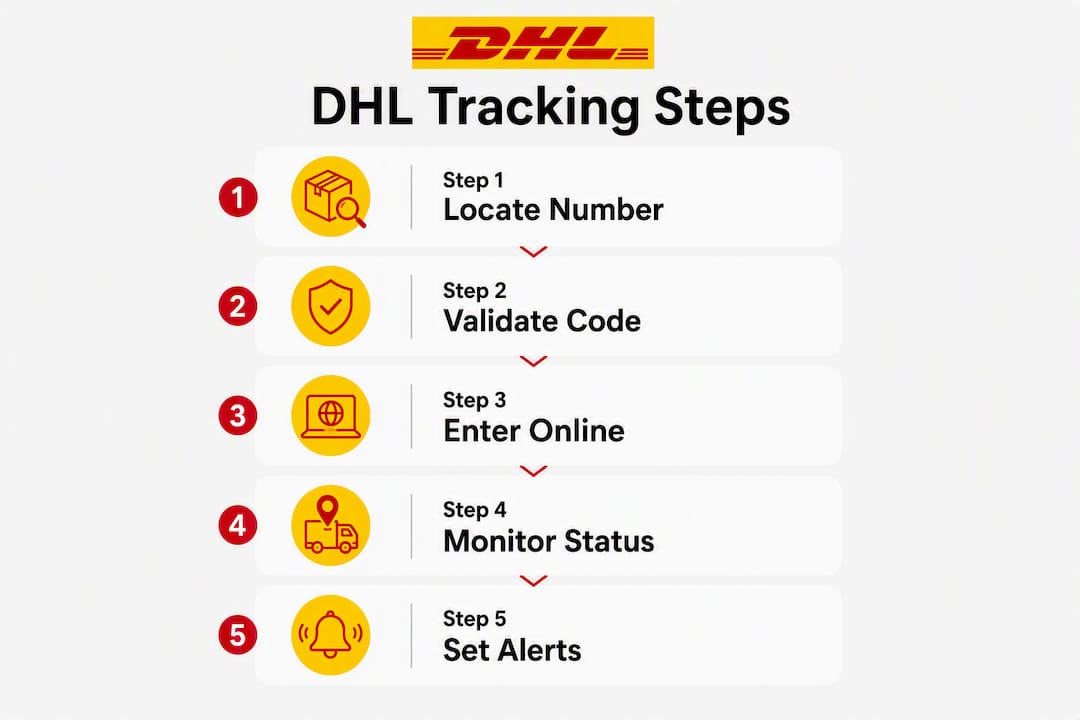
- How to track a DHL parcel: five quick steps
- Where is your DHL tracking number hiding?
- How to validate and enter a DHL tracking number correctly
- What do common DHL tracking statuses actually mean?
- What to do when DHL tracking shows no updates
- When should you bring in a freight forwarder or customs broker?
- Key Takeaways
- What a logistics pro actually does when DHL tracking goes dark
- Worldwideexpress can resolve what tracking tools cannot
- Authoritative pages and tools for live DHL tracking
How to track a DHL parcel: five quick steps
-
DHL Track & Trace or MyDHL+. Go to the official DHL tracking page and paste the cleaned tracking number. MyDHL+ gives Express account holders additional detail, including estimated delivery windows and proof-of-delivery images.
-
Check the sender’s email or order page. The retailer’s shipment confirmation email almost always contains the tracking number and a direct link. If you ordered through a marketplace, the order history page typically shows the current DHL tracking status without leaving the site.
-
Run a multi-carrier lookup. Ship24 aggregates scan events from multiple carriers and can surface secondary local-carrier references when DHL has handed the parcel off. This is especially useful when the DHL site shows a stale status or no recent events.
-
Check USPS for DHL eCommerce handoffs. DHL eCommerce shipments destined for U.S. addresses are routinely handed to USPS for final delivery. The secondary USPS code, if one exists, appears in your confirmation email or on the DHL eCommerce tracking page. Enter it at USPS.com to see last-mile scans.
-
Enable DHL app notifications. Download the DHL mobile app and turn on SMS or email delivery alerts. Real-time push notifications remove the need to manually check status — the app pings you at each scan event.
Pro Tip: Set up delivery notifications the moment you receive a tracking number, not after the parcel goes quiet. Catching an “Exception” or “Customs hold” status early gives you more time to act.
Where is your DHL tracking number hiding?
The tracking number appears in several places, and knowing all of them saves time when one source is unavailable.
- Shipment confirmation email or SMS from the seller — usually the fastest source
- Retailer or marketplace order history page, under “Shipment details” or “Track order”
- Shipping label itself, printed near or directly under the barcode, labeled Waybill, AWB, or Tracking #
- Invoice or receipt attached to the order, particularly for commercial shipments
- The sender directly — if none of the above surfaces a code, the merchant can pull it from their shipping system
DHL eCommerce shipments sometimes carry two codes: the DHL label number and a secondary USPS reference generated at handoff. Both may appear in the confirmation email. Use the DHL code on DHL’s site first; switch to the USPS code once the parcel is in domestic last-mile delivery.
Pro Tip: Never use the order number as a tracking number unless the confirmation email explicitly labels it as one. Order IDs and tracking numbers look similar but pull up completely different data.
How to validate and enter a DHL tracking number correctly
DHL uses different formats depending on the service, and entering the wrong format is the most common reason a lookup fails.
| DHL Service | Typical Format | Example Pattern |
|---|---|---|
| DHL Express | 10-digit numeric code | 1234567890 |
| DHL Parcel / Regional | Prefix + alphanumeric (3S, JJD, JVGL) | 3S1234567890, JJD1234567890 |
| DHL eCommerce | Longer alphanumeric (GM, LX, RX prefix) | GM1234567890123456, LX123456789DE |
| Global Forwarding / Freight | Shorter numeric or mixed | 123456789, 87654321 |
Validation checklist before you search:
- Strip all spaces and dashes from the code
- Confirm the length and prefix match the service type above
- Copy/paste directly rather than retyping to avoid transposition errors
- Try the full code first; if it fails, try without any prefix
- Never enter an order ID in the tracking field
If the code looks truncated or has extra dashes printed on the label, the barcode version is authoritative. Scan it with the DHL app if possible. When the official DHL site still returns nothing after a cleaned entry, a multi-carrier tool like Ship24 can identify whether a partner carrier has picked up the scan trail.
Pro Tip: For freight shipments using Global Forwarding, the house waybill number and the master waybill number are different. Always confirm which one your broker or forwarder expects you to use.
What do common DHL tracking statuses actually mean?
- Label created — DHL has a record but has not scanned the parcel yet. Wait up to 24 hours before assuming a problem.
- In transit — The parcel is moving through the network. Allow some time between scans as domestic and international transit timing varies.
- Out for delivery — The parcel is on a delivery vehicle today. No action needed; someone should be available to receive it.
- Delivered — DHL’s system recorded a successful delivery. Check the delivery location note; Express shipments often include a photo or signature.
- Exception — Something interrupted normal transit: an address issue, a missed delivery attempt, or a damaged label. Check the sub-status and act on the specific instruction shown.
- Customs hold — The shipment is awaiting clearance at a border. This can require documentation from the importer or additional duties payment.
International shipments crossing into the U.S. can sit at customs for several business days without a new scan. That silence is normal up to a point. If a customs hold persists without updates for an extended period, escalation is warranted.
What to do when DHL tracking shows no updates
- Confirm the code with the sender. Ask the merchant to verify the exact tracking number from their shipping system — copy errors happen on both ends.
- Wait the appropriate window. For a freshly created label, allow some time for the first scan. If the parcel was scanned at origin and then went silent, allow a reasonable period before escalating.
- Retry with a cleaned input. Strip spaces and dashes, confirm the format matches the service type, and search again on DHL’s site.
- Run a multi-carrier lookup. Ship24 can surface partner-carrier scans that DHL’s own page may not display, particularly for eCommerce handoffs.
- Check USPS. If a secondary USPS code exists in your email, enter it at USPS.com. Last-mile scans often appear there before DHL’s system updates.
- Contact DHL customer service. Call or use the DHL website chat. Have the tracking number, ship date, sender name, and destination ready.
- Open a formal inquiry. If DHL customer service cannot locate the parcel after 48 hours of no scans, file an investigation through DHL’s online claims portal. Gather: tracking number, ship date, sender and recipient details, contents description, and declared value.
Pro Tip: Screenshot every status page before you call. Customer service agents move faster when you can describe the last scan event, its timestamp, and the location shown.
- Contact the seller first if the label was created but never scanned — the parcel may not have been tendered to DHL yet
- Contact DHL directly once the parcel is confirmed in the network but stops updating
- Escalate to a freight forwarder or customs broker when a customs hold or documentation issue is the root cause
When should you bring in a freight forwarder or customs broker?
Self-resolution works well for consumer parcels with label-created delays or minor exceptions. The picture changes for commercial shipments, high-value freight, or anything stuck at a U.S. port of entry.
A freight forwarder or customs broker becomes genuinely useful in these situations:
- A customs hold persists and the importer lacks the documentation to respond (commercial invoice, packing list, CBP entry forms)
- A consolidated shipment is missing a house waybill, making it invisible to standard carrier lookups
- The shipment involves a commodity requiring a permit, license, or FDA/USDA clearance
- Carrier liaison is needed to locate a parcel across multiple legs or handoff carriers
- A cargo claim needs to be filed and the shipper needs professional representation
Before contacting a forwarder, have these ready:
- All tracking numbers (DHL label, house waybill, master waybill if applicable)
- Commercial invoice and packing list
- Bill of lading or air waybill
- Customs entry number if one was filed
- Timeline of last known scan events and any exception messages
Worldwideexpress handles exactly this kind of multi-document, multi-leg resolution for commercial clients. For straightforward consumer parcels with a label-created delay, waiting 24–48 hours and contacting DHL directly is sufficient.
Key Takeaways
The fastest resolution for a stuck DHL shipment is a cleaned tracking number entered on the official DHL site, followed by a structured escalation if no scan appears within 48 hours.
| Point | Details |
|---|---|
| Start with official tools | Use DHL Track & Trace or MyDHL+ first for the most authoritative status and proof-of-delivery. |
| Clean the tracking number | Strip spaces and dashes, use uppercase, and copy/paste directly to avoid input errors. |
| Know the 24-hour rule | A label can be created before the parcel is scanned; wait 24 hours before treating no-result as a problem. |
| Use USPS for eCommerce | DHL eCommerce shipments often hand off to USPS for last-mile delivery; check both codes. |
| Escalate at 48 hours | If no scan appears after 48 hours in-network, contact DHL and open a formal inquiry with shipment details ready. |
| Worldwideexpress for complex cases | Customs holds, missing documentation, or multi-leg freight require professional broker support — Worldwideexpress provides customs brokerage and carrier liaison for commercial shipments. |
What a logistics pro actually does when DHL tracking goes dark
Most people panic too early. A tracking number that returns nothing on day one is almost never a lost parcel — it is usually a label that was printed before the driver picked up the box.
The first move is always the same: confirm the source. Pull the tracking number directly from the shipping label image or the carrier’s confirmation email, not from a forwarded message where digits can get corrupted. Then run it through DHL’s site with a cleaned input. If that returns nothing, Ship24 goes next, because it catches partner-carrier scans that DHL’s own interface sometimes lags on displaying.
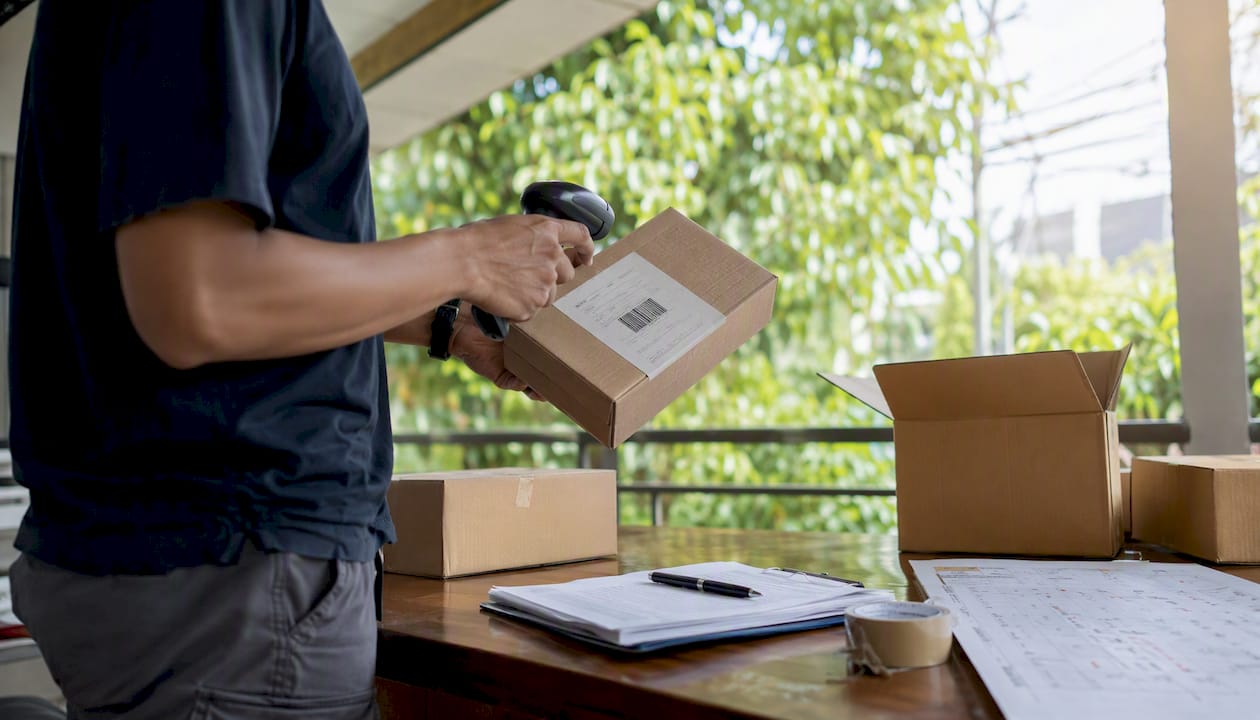
Screenshots matter more than most people realize. Capture the DHL status page, the Ship24 result, and the original order confirmation before you call anyone. When you do reach DHL customer service, a specific last-scan timestamp and location cuts the call time significantly compared to “it just says nothing.”
For shipments that hit a customs hold, the documentation question is almost always the bottleneck. A missing commercial invoice or an incorrect HTS code can freeze a shipment for days. That is the moment to loop in a customs broker rather than wait on hold with a carrier.
Worldwideexpress can resolve what tracking tools cannot
When a parcel is stuck in customs, a commercial invoice is missing, or a multi-leg freight shipment has gone silent across carriers, tracking tools alone will not fix the problem. That is where Worldwideexpress’s logistics services step in.
Worldwideexpress provides U.S. customs brokerage, import and export freight forwarding, cargo claims assistance, and direct carrier liaison for commercial shipments. For businesses dealing with customs holds, missing documentation, or high-value freight that needs a single point of contact across multiple legs, Worldwideexpress manages the resolution process from documentation to cargo release. The team works with air, ocean, and trucking carriers, so a shipment that has changed hands mid-route is not a dead end. Contact Worldwideexpress directly to get a freight specialist on your case.
Authoritative pages and tools for live DHL tracking
- DHL Track & Trace — the primary official lookup for all DHL services in the U.S.; start here
- MyDHL+ — Express account portal with enhanced detail, estimated delivery windows, and proof-of-delivery
- Ship24 — multi-carrier fallback that aggregates DHL and partner-carrier scans; use when official tools show stale or no data
- USPS.com — enter the secondary USPS code for DHL eCommerce last-mile tracking once the parcel has been handed off domestically
- Worldwideexpress tracking and customs guidance — resource for international shipment handling, customs documentation, and freight forwarding support
Use official carrier pages first. Multi-carrier tools are valuable fallbacks, not replacements for carrier-issued proof-of-delivery. For commercial shipments with customs complications, Worldwideexpress is the escalation path beyond what any tracking tool can resolve.
Recommended
- How to Track Any Order for Reliable Shipping Updates – Worldwide Express, Inc.
- How to Track a Delivery: Your 2026 Guide – Worldwide Express, Inc.
- How to track post office parcels internationally in 2026 – Worldwide Express, Inc.
- How to Track My Shipment: A Complete 2026 Guide – Worldwide Express, Inc.