

Managing international shipments means every detail matters from the moment you start the quoting process. A single mistake in your cargo description or country identification can trigger costly customs delays and compliance headaches for any American business. By focusing on shipment documentation and details, you lay the groundwork for reliable quotes that keep your international supply chain running on time and within budget.
Table of Contents
- Step 1: Gather Shipment Details And Documentation
- Step 2: Access UPS Quote International Platform
- Step 3: Input Shipment Specifics And Select Services
- Step 4: Review And Verify Quote Accuracy
- Step 5: Confirm And Save Quote For Future Shipments
Quick Summary
| Key Point | Explanation |
|---|---|
| 1. Gather Accurate Shipment Information | Compile complete product descriptions, weights, and dimensions to prevent customs issues and get a reliable UPS quote. |
| 2. Access UPS Quote Platform Efficiently | Log in to your UPS account and navigate to the international shipping section to streamline the quoting process. |
| 3. Input Detailed Shipment Specs | Carefully enter all relevant shipment details, including values and handling requirements to ensure an accurate quote. |
| 4. Review Quote for Accuracy | Scrutinize every quote detail to avoid unnecessary costs or logistical complications before finalizing the shipping request. |
| 5. Save Quote for Future Reference | Confirm and download your quote, preserving it in an organized system for easy access and future comparisons. |
Step 1: Gather shipment details and documentation
Accurately collecting shipment details is the critical foundation for requesting an international UPS quote that ensures smooth logistics processing. When preparing for an international shipping request, you’ll need to compile comprehensive information about your cargo to generate an accurate quote and prevent potential customs complications.
Start by gathering the following essential shipment documentation and details:
- Complete product description and harmonized tariff code
- Exact weight and dimensions of each package
- Total shipment value for customs declaration
- Origin and destination country details
- Shipping method preference (air freight, ocean freight, express)
Careful documentation preparation helps prevent customs delays for international shipping. Ensure you have commercial invoices, packing lists, and any required export/import permits ready before requesting your quote. Precise measurements and accurate product classifications will help UPS generate a more reliable shipping estimate.
Successful international shipping starts with meticulous documentation preparation.
Pro tip: Keep digital copies of all shipping documents organized and easily accessible for quick reference during the quoting process.
Step 2: Access UPS quote international platform
Navigating the UPS international quote platform requires strategic preparation and understanding of the digital interface. Logistics managers need a systematic approach to efficiently access and utilize the online quoting system for international shipping requests.
To begin, follow these critical access steps:
- Visit the official UPS international shipping website
- Select “Get a Quote” for international shipments
- Create or log into your existing UPS account
- Choose the “International Shipping” section
- Verify your login credentials and account permissions
The online platform offers multiple options for generating international shipping quotes. Master export shipping documentation beforehand to streamline your quoting process. Ensure you have all necessary shipment details readily available to expedite quote generation and prevent potential delays.
Efficient quote access depends on thorough account preparation and accurate shipment information.
Pro tip: Save your login credentials securely and consider enabling two-factor authentication for enhanced account protection.
Step 3: Input shipment specifics and select services
Precisely inputting shipment details and selecting appropriate shipping services are critical steps in generating an accurate international UPS quote. Logistics managers must carefully navigate the platform’s input requirements to ensure a comprehensive and compliant shipping request.
When entering your shipment information, focus on these key data points:
- Package dimensions and total weight
- Detailed commodity description
- Exact origin and destination addresses
- Declared shipment value
- Preferred shipping service level
- Special handling requirements
Carefully avoid customs delays by providing accurate and complete information in each field. The UPS platform will typically offer multiple service options ranging from economy ground transportation to expedited air freight, allowing you to balance cost and delivery speed based on your specific logistics needs.

This table compares common UPS international shipping service levels based on speed and cost considerations:
| Service Level | Delivery Speed | Typical Cost Range | Suitable For |
|---|---|---|---|
| Economy Ground | Slowest (up to 2 weeks) | Lowest | Non-urgent large shipments |
| Standard Air Freight | 3-7 days | Moderate | Routine international cargo |
| Express Air Freight | 1-3 days | Highest | Time-sensitive items |
Accuracy in shipment details directly impacts quote reliability and shipping efficiency.
Pro tip: Double-check all entered information and take screenshots of your quote details for internal record-keeping and potential future reference.
Step 4: Review and verify quote accuracy
Carefully reviewing your international shipping quote is crucial to prevent unexpected costs and logistical complications. Logistics managers must develop a systematic approach to thoroughly examine every detail of the generated UPS quote before finalizing their shipping request.
When reviewing the quote, pay close attention to these critical verification points:
- Total shipping costs and fee breakdown
- Service transit times and delivery estimates
- Accurate package weight and dimensional calculations
- Applicable taxes and customs duties
- Insurance coverage options
- Special handling charges
How to read a bill of lading can provide additional context for understanding complex shipping documentation. Scrutinize each line item to ensure complete alignment with your original shipment specifications and budgetary constraints. Any discrepancies should be addressed immediately before proceeding with the quote.
Thorough quote verification prevents costly shipping errors and unexpected expenses.
Pro tip: Create a comparison spreadsheet to track quote details across multiple shipping requests, enabling more strategic logistics decision-making.
Step 5: Confirm and save quote for future shipments
Finalizing your international shipping quote requires strategic documentation and careful record-keeping. Logistics managers must implement a systematic approach to preserving quote details for potential future reference and comparative analysis.
Complete the confirmation process by following these critical saving steps:
- Click the “Confirm Quote” or “Save Quote” button
- Generate a unique quote reference number
- Download the complete quote document
- Save digital and physical copies in your logistics management system
- Create a standardized filing method for quote documentation
- Note the quote’s expiration date
Master export shipping documentation to ensure comprehensive record retention. Implementing a robust quote archiving strategy allows for quick retrieval and helps track shipping cost trends across multiple international logistics requests.
Systematic quote documentation transforms shipping expense management into a strategic business process.
Pro tip: Establish a digital folder structure that categorizes quotes by destination, date, and shipping volume to streamline future logistics planning.
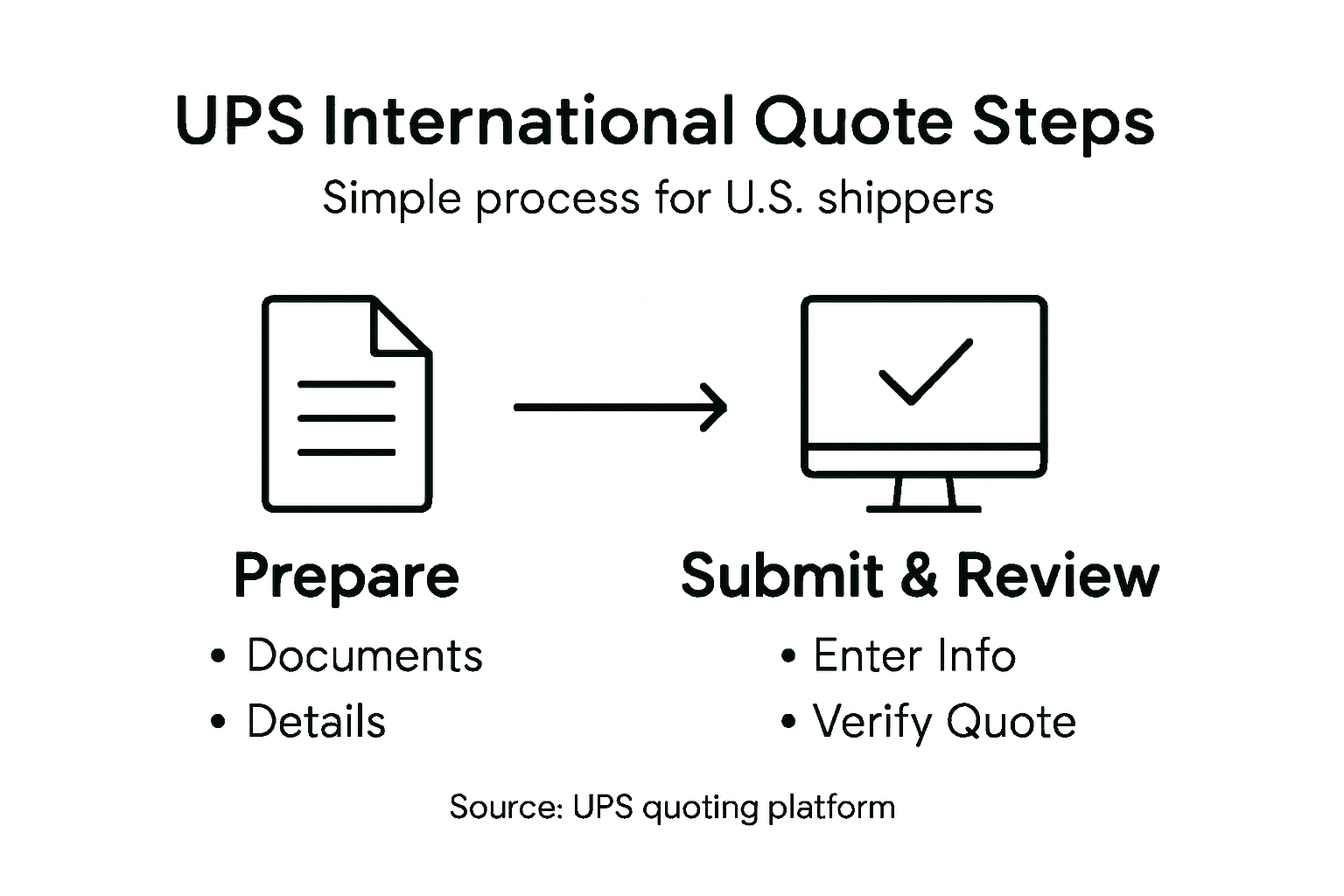
Here is a summary of how accurate documentation enhances each stage of the UPS international quoting process:
| Stage of Quoting Process | Role of Accurate Information | Business Impact |
|---|---|---|
| Gather Shipment Details | Prevents customs and declaration issues | Ensures smooth shipment clearance |
| Access UPS Quote Platform | Avoids login errors and mismatched data | Reduces processing time |
| Input Shipment Specifics | Improves quote accuracy | Helps control shipping costs |
| Review and Verify Quote | Flags discrepancies early | Minimizes costly quote errors |
| Confirm and Save Quote | Supports future reuse and comparison | Enables cost trend analysis |
Unlock Seamless International UPS Quotes with Expert Support
Navigating the complexities of requesting a UPS quote international for U.S. logistics can feel overwhelming. From precise shipment details to avoiding costly customs delays, the challenges are clear. This article highlighted key pain points such as accurate documentation, selecting the right shipping service, and verifying quote accuracy to prevent unexpected expenses. If you want to transform these hurdles into smooth, reliable shipping experiences, our tailored logistics solutions are designed for you.
Discover how Worldwide Express, Inc. leverages years of expertise to simplify your international shipping process. With offerings like customs brokerage, freight forwarding, and comprehensive supply chain management, we ensure every quote is accurate and every shipment runs on time. Start by exploring our Uncategorized – Worldwide Express, Inc. page to see how we integrate thorough documentation controls and real-time tracking into your logistics strategy. Don’t wait until quote errors delay your shipments. Visit https://worldwideexpress.com today and get the professional support you need to master every step of the UPS quoting journey and beyond.
Frequently Asked Questions
How do I gather the necessary shipment details for a UPS international quote?
Start by compiling essential documentation, including a complete product description, harmonized tariff code, weight, dimensions, shipment value, and origin and destination details. Collect these documents to ensure you have everything ready before requesting your quote.
What steps should I take to access the UPS quote international platform?
Visit the UPS international shipping website, select “Get a Quote” for international shipments, and log into your UPS account. This will prepare you to navigate the online quoting system efficiently.
How do I input my shipment specifics into the UPS international quoting system?
Carefully enter key shipment details, including package dimensions, commodity descriptions, and declared value. Accurately filling out this information will improve the reliability of your shipping quote.
What should I verify when reviewing my UPS international shipping quote?
Pay attention to total shipping costs, service transit times, package weight, and any applicable taxes or handling charges. Ensuring all these details align with your shipment specifications will help you avoid unexpected costs.
How can I save my UPS international quote for future reference?
After confirming your quote, generate a unique reference number and download the complete quote document. Organize these files systematically so you can easily retrieve them for future shipping requests.
Recommended
- 7 Key Tips for Managing UPS International Shipping Rates – Worldwide Express, Inc.
- 7 Essential Tips for Successful UPS International Shipping – Worldwide Express, Inc.
- 7 Key Steps to Secure an Accurate International Air Freight Quote – Worldwide Express, Inc.
- What is a Freight Quote? Understanding Its Importance – Worldwide Express, Inc.