TL;DR:
- EDI tracking automates shipment status updates through electronic transaction sets like EDI 214, improving real-time visibility and compliance in global supply chains. Implementing and monitoring these systems proactively prevents operational failures, chargebacks, and compliance issues, with organizations adopting API observability gaining a significant advantage. Worldwideexpress supports effective EDI integration and international logistics to ensure accurate shipment updates and smooth customs clearance.
EDI tracking is the process of electronically monitoring shipment status through standardized transaction sets, primarily the EDI 214, to deliver real-time visibility and compliance across global supply chains. Where manual status calls once consumed hours of staff time, electronic data interchange tracking automates milestone updates at every stage: pickup, transit, border crossing, and final delivery. Platforms like EDI Monitor and Odoo’s EDI 214 integration have made this level of visibility accessible to mid-market shippers, not just enterprise carriers. Real-time EDI monitoring saves businesses tens of thousands of dollars annually by cutting manual labor and reducing compliance chargebacks. This guide covers the tools, step-by-step execution, exception management, and troubleshooting strategies logistics teams need to master EDI shipment tracking in 2026.
What is EDI tracking and what tools does it require?
EDI tracking is built on a set of X12 transaction sets that each serve a distinct role in the shipment lifecycle. The EDI 204 initiates a load tender from shipper to carrier. The EDI 990 carries the carrier’s acceptance or rejection. The EDI 214 is the workhorse: it reports shipment milestones including pickup confirmation, terminal arrivals, border crossings, and delivery completions, replacing manual tracking entirely. The EDI 997 provides functional acknowledgment, confirming that a transmitted document was received and structurally valid. The EDI 210 closes the loop with freight billing.

On the infrastructure side, effective electronic data interchange tracking requires integration with at least one of three systems: an ERP such as SAP or Oracle, a Transportation Management System such as MercuryGate or Oracle TMS, or a Warehouse Management System such as Manhattan Associates WMS. Connectivity between trading partners runs over AS2, Value Added Networks (VANs) like SPS Commerce or TrueCommerce, or FTP/SFTP protocols. Each partner must complete a certification process before live data exchange begins.
The table below compares the core tools and their functions in an EDI tracking setup:
| Tool / Protocol | Primary Function |
|---|---|
| EDI 214 transaction set | Delivers carrier shipment status updates at each milestone |
| AS2 / VAN / FTP | Secure transport layer for EDI document exchange |
| EDI Monitor (SPCnow) | Real-time alerts, exception handling, and compliance dashboards |
| ERP/TMS/WMS integration | Maps EDI data into internal operational systems |
| EDI 997 acknowledgment | Confirms receipt and structural validity of transmitted documents |
Pro Tip: Before onboarding a new trading partner, request their EDI specifications document and map every required segment against your internal system fields. Gaps discovered in testing cost far less to fix than gaps discovered in production.
Monitoring software features to prioritize include real-time alerts on failed transmissions, exception queues for unacknowledged documents, and audit logs for compliance reviews. Tools like EDI Monitor from Software Projects Consulting provide these capabilities out of the box, while shipment visibility tools built for 2026 logistics environments increasingly layer API observability on top of traditional EDI feeds.
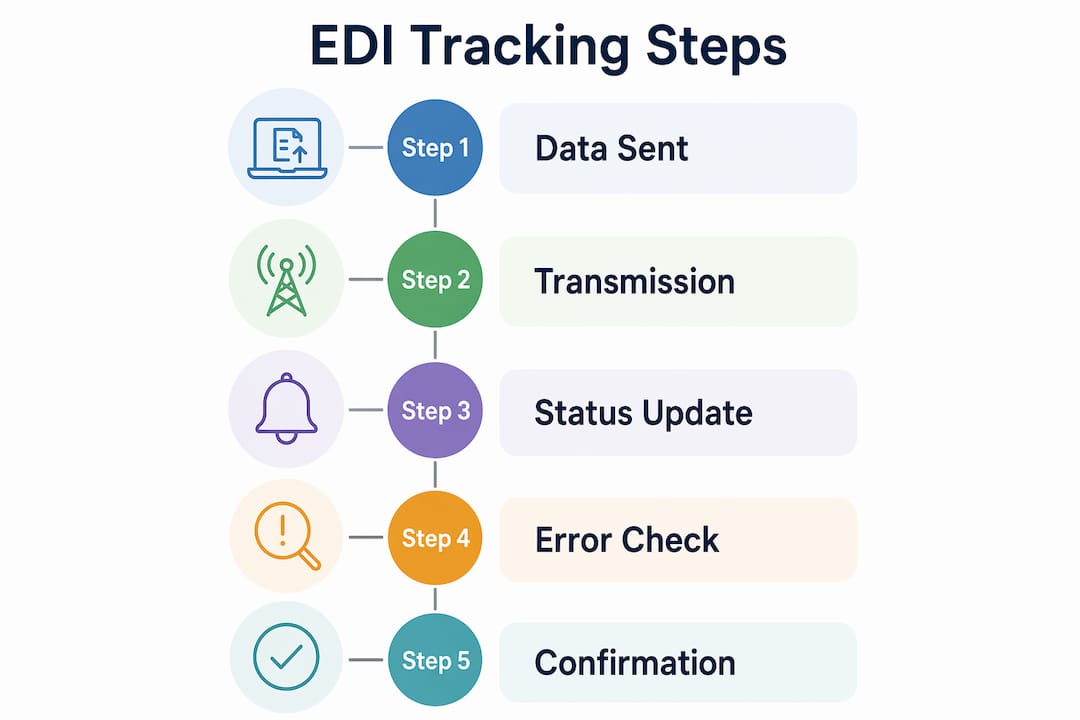
How to execute EDI shipment tracking step by step
Implementing automated EDI tracking follows a defined sequence. Skipping steps, particularly partner certification and acknowledgment monitoring, is the most common cause of silent failures in production environments.
-
Establish the trading partner connection. Exchange ISA/GS envelope parameters, agree on a connectivity protocol (AS2 is the current industry standard), and complete test transmissions. A single partner connection typically takes 3 to 10 business days from kickoff to go-live. That timeline assumes clean mapping and responsive partner testing teams.
-
Send the EDI 204 load tender. The shipper transmits load details to the carrier: origin, destination, commodity, weight, and required delivery window. The carrier responds with an EDI 990 acceptance or rejection within the agreed SLA.
-
Monitor EDI 997 acknowledgments. Every outbound document should generate a 997 within minutes. Set your monitoring system to alert if a 997 has not arrived within your agreed window, typically 30 to 60 minutes for AS2 connections.
-
Receive EDI 214 status updates at each milestone. The carrier transmits a 214 at pickup, each terminal arrival, any border crossing event, and final delivery. Each transmission carries a shipment status code (e.g., X1 for pickup, D1 for delivery) that maps to your internal tracking dashboard.
-
Ingest EDI data into your TMS or visibility platform. Automated mapping rules translate incoming 214 segments into order status fields, triggering customer notifications or internal workflow updates without manual intervention.
-
Close with EDI 210 freight billing. Once delivery is confirmed, the carrier sends a freight invoice via EDI 210. Matching the 210 against the 204 and 214 records automates invoice validation and flags discrepancies before payment.
Pro Tip: For API-based status polling, check transaction status every 10 seconds immediately after transmission, then extend polling intervals to every 5 minutes for up to 24 hours. This catches failures fast without hammering your integration layer.
The table below summarizes the transaction flow and expected timing:
| Transaction | Direction | Typical SLA |
|---|---|---|
| EDI 204 Load Tender | Shipper to Carrier | Immediate on load creation |
| EDI 990 Acceptance | Carrier to Shipper | Within 2 hours |
| EDI 997 Acknowledgment | Receiver to Sender | 30 to 60 minutes |
| EDI 214 Status Update | Carrier to Shipper | At each physical milestone |
| EDI 210 Freight Invoice | Carrier to Shipper | Post-delivery, per contract |
How to monitor for errors, exceptions, and compliance failures
Proactive EDI status monitoring separates logistics operations that catch problems internally from those that hear about them first from angry trading partners. Effective monitoring plans address three distinct failure types: acknowledgment failures, timing failures, and silent failures.
Acknowledgment failures occur when a 997 comes back with an error code or does not arrive at all. These are the most visible failure type and the easiest to catch with a basic alert rule. Timing failures happen when documents are transmitted outside the agreed exchange window, such as a 214 that arrives six hours after a delivery event instead of within 30 minutes. Silent failures are the most dangerous: the document transmits successfully, the 997 confirms receipt, but a downstream processing error means the data never reaches the TMS or visibility dashboard.
“Monitoring must identify failures before trading partners report them. A reactive default state leads to chargebacks, damaged relationships, and compounded operational issues that take weeks to untangle.” — SPS Commerce SupplierWiki
Retailers like Target enforce strict delivery windows with no exceptions, and a missed or late EDI update can trigger an order cancellation or a compliance chargeback before your team even knows there is a problem. That financial exposure makes the case for investing in a dedicated monitoring layer rather than relying on manual log reviews.
Best practices for ongoing compliance management include:
- Assign a named owner for each trading partner’s EDI connection, responsible for reviewing exception queues daily.
- Set alert thresholds at 80% of the allowed transmission window, not 100%, to leave time for correction before a violation is recorded.
- Schedule quarterly spec reviews with each trading partner, since retailers update their EDI requirements regularly and undocumented changes cause mapping failures.
- Document every exception, its root cause, and the resolution. Patterns in that log reveal systemic issues faster than any monitoring dashboard.
- Test your alert rules after every system update. Alert configurations are frequently overwritten during upgrades and go unnoticed until a real failure occurs.
Pro Tip: Build a compliance calendar that tracks each retailer’s EDI spec review cycle. Proactively requesting updated implementation guides two weeks before a known spec change date prevents the most common cause of sudden mapping failures.
What are common EDI tracking challenges and how to fix them?
Even well-configured EDI environments encounter operational friction. The most frequent issues fall into four categories: data mismatches, mapping errors, delayed acknowledgments, and partner-specific requirement drift.
Data mismatches between EDI records and warehouse activity are more common than most operations teams admit. Digitally reported shipment status must align strictly with warehouse scanning. If a picker marks an order as shipped in the WMS before the carrier physically scans it at pickup, the EDI 214 will report a delivery milestone that the physical supply chain has not yet reached. Strict scanning discipline at every handoff point is the operational fix, not a software patch.
Mapping errors typically surface during partner onboarding or after a spec update. A segment that was optional in a previous implementation guide may become mandatory in the new version, causing all outbound documents to fail validation silently. The fix is a structured change management process: every spec update triggers a mapping review, a test cycle in a sandbox environment, and a sign-off before production deployment.
Delayed acknowledgments often point to connectivity issues rather than data problems. An AS2 connection that times out intermittently, a VAN that batches transmissions on a schedule instead of in real time, or a firewall rule that blocks inbound 997s all produce the same symptom: missing acknowledgments. API-driven real-time observability removes the guesswork by providing immediate visibility into transaction state, compared to legacy batch EDI where a failure might not surface for hours.
Practical troubleshooting steps when an EDI 214 update goes missing:
- Confirm the carrier transmitted the 214 by checking your VAN or AS2 mailbox logs directly, not just your TMS interface.
- Verify the ISA/GS envelope parameters match the trading partner agreement exactly. A single character mismatch in the sender ID causes silent rejection.
- Check your mapping rules against the current implementation guide. Confirm no required segments are missing or formatted incorrectly.
- If the document transmitted and was acknowledged but did not appear in your dashboard, trace the internal integration path from the EDI translator to the TMS database. The failure is likely in the transformation layer, not the EDI layer.
- Escalate to your EDI provider’s support team with the full interchange control number. That number is the universal reference point across all systems in the chain.
For global freight tracking across multiple carriers and modes, consolidating EDI feeds into a single visibility platform reduces the complexity of managing partner-specific troubleshooting protocols.
Key takeaways
Real-time EDI tracking, built on transaction sets like EDI 214, 204, 997, and 210, is the operational foundation for shipment visibility, compliance, and cost control in modern logistics.
| Point | Details |
|---|---|
| EDI 214 drives visibility | The EDI 214 transaction set delivers milestone updates at pickup, transit, border crossing, and delivery. |
| Three failure types require monitoring | Acknowledgment, timing, and silent failures each need distinct alert rules and ownership. |
| Partner onboarding takes 3 to 10 days | Plan for this timeline when adding new carriers or retailers to your EDI network. |
| Proactive alerts prevent chargebacks | Detecting failures before trading partners do protects revenue and trading relationships. |
| API observability beats batch EDI | Real-time API polling catches failures in seconds; legacy batch exchange can hide problems for hours. |
Why EDI tracking is worth the infrastructure investment
Most logistics teams I have observed treat EDI as a compliance checkbox: get it working, then leave it alone. That approach works until a retailer issues a chargeback for a missed delivery window, or a carrier’s spec update silently breaks your 214 mapping for three weeks before anyone notices. The cost of that reactive posture is real and measurable.
The operations that handle EDI tracking well share one trait: they treat it as a living system, not a one-time integration. They assign ownership, they review exceptions daily, and they test their alert configurations after every system change. That discipline is not glamorous, but it is what separates teams that catch problems in minutes from teams that discover them on an invoice.
The shift toward real-time logistics tracking and API-driven observability is accelerating in 2026. Businesses that invest in that infrastructure now will have a significant operational advantage over those still relying on scheduled batch exchanges and manual log reviews. The technology is mature. The barrier is organizational commitment, not technical complexity.
— Ian
How Worldwideexpress supports your EDI compliance and global shipment visibility
Worldwideexpress combines international freight forwarding with deep customs expertise to give businesses the compliance foundation that makes EDI tracking effective. When your EDI 214 data is accurate and your shipments clear customs without delays, the entire supply chain performs as designed.

Worldwideexpress’s customs brokerage services integrate directly with your import and export workflows, reducing the documentation errors that cause EDI status discrepancies at border crossings. For businesses managing high-volume international lanes, that integration means fewer exceptions, fewer chargebacks, and faster delivery confirmations flowing through your EDI network. Contact Worldwideexpress to discuss how its logistics solutions can support your EDI compliance requirements.
FAQ
What is EDI tracking in logistics?
EDI tracking is the automated monitoring of shipment status using standardized electronic transaction sets, primarily the EDI 214, which reports milestones including pickup, transit, and delivery without manual intervention.
How long does EDI 214 integration take?
Connecting a single trading partner for EDI 214 shipment tracking typically takes 3 to 10 business days, depending on partner responsiveness and the complexity of mapping requirements.
What are the three types of EDI monitoring failures?
The three failure types are acknowledgment failures (missing or error 997s), timing failures (documents sent outside the agreed window), and silent failures (documents that transmit successfully but fail in downstream processing).
Why do retailers issue chargebacks related to EDI tracking?
Retailers like Target enforce strict delivery windows, and late or missing EDI status updates can trigger automatic chargebacks or order cancellations before the shipper is aware of any problem.
What is the difference between batch EDI and real-time EDI tracking?
Batch EDI exchanges documents on a scheduled interval, which can delay failure detection by hours. Real-time, API-driven EDI observability provides immediate transaction visibility and accelerates troubleshooting significantly.
Recommended
- How to track a delivery truck effectively in 2026 – Worldwide Express, Inc.
- Shipment Visibility Tools: A 2026 Guide for Logistics Pros – Worldwide Express, Inc.
- Improve Worker Safety in Logistics: Proven Protocols for 2026 – Worldwide Express, Inc.
- Next-gen container tracking: real-time visibility in 2026 – Worldwide Express, Inc.